
Ultima Markets App
Trade Anytime, Anywhere





Important Information
This website is managed by Ultima Markets’ international entities, and it’s important to emphasise that they are not subject to regulation by the FCA in the UK. Therefore, you must understand that you will not have the FCA’s protection when investing through this website – for example:
- You will not be guaranteed Negative Balance Protection
- You will not be protected by FCA’s leverage restrictions
- You will not have the right to settle disputes via the Financial Ombudsman Service (FOS)
- You will not be protected by Financial Services Compensation Scheme (FSCS)
- Any monies deposited will not be afforded the protection required under the FCA Client Assets Sourcebook. The level of protection for your funds will be determined by the regulations of the relevant local regulator.
Note: Ultima Markets is currently developing a dedicated website for UK clients and expects to onboard UK clients under FCA regulations in 2026.
If you would like to proceed and visit this website, you acknowledge and confirm the following:
- 1.The website is owned by Ultima Markets’ international entities and not by Ultima Markets UK Ltd, which is regulated by the FCA.
- 2.Ultima Markets Limited, or any of the Ultima Markets international entities, are neither based in the UK nor licensed by the FCA.
- 3.You are accessing the website at your own initiative and have not been solicited by Ultima Markets Limited in any way.
- 4.Investing through this website does not grant you the protections provided by the FCA.
- 5.Should you choose to invest through this website or with any of the international Ultima Markets entities, you will be subject to the rules and regulations of the relevant international regulatory authorities, not the FCA.
Ultima Markets wants to make it clear that we are duly licensed and authorised to offer the services and financial derivative products listed on our website. Individuals accessing this website and registering a trading account do so entirely of their own volition and without prior solicitation.
By confirming your decision to proceed with entering the website, you hereby affirm that this decision was solely initiated by you, and no solicitation has been made by any Ultima Markets entity.
I confirm my intention to proceed and enter this website Please direct me to the website operated by Ultima Markets , regulated by the FCA in the United Kingdom

想進行外匯或全球市場交易?那你一定聽過MT5(MetaTrader 5)。本文將爲你詳細介紹MT5下載方法、安裝步驟,無論你使用電腦、手機或網頁端,都能輕鬆上手,開啓高效的智能交易體驗。
1. 什麼是MT5交易平臺?
MT5(MetaTrader 5)是由MetaQuotes公司開發的一款多資產交易平臺,被全球投資者廣泛使用。它支持外匯、指數、股票、商品、期貨以及加密貨幣等多種交易品種,是外匯交易者與專業分析師的首選工具。與前一代MT4相比,MT5交易平臺在速度、功能與穩定性上都有顯著提升,提供更多時間週期、更豐富的圖表工具以及更強大的EA智能交易系統。
2. 開設MT5帳戶
在使用MT5進行交易前,您需要先選擇一家合規且專業的經紀商開立帳戶。優質的經紀商不僅能確保資金安全,還能爲從零基礎到高階水平的交易者提供完善的支持與教育資源。完成開戶後,申請一個MT5交易帳戶,即可憑此帳戶登錄平臺,進行行情查看、策略分析與實盤交易操作。
一般正規的經紀商受FCA及FSC等機構的嚴格監管。Ultima Markets不僅受上述兩家機構監管,且是金融委員會(The Financial Commission)成員,資質更有保障。一個值得信賴的券商不僅能確保資金安全與交易順暢,還能提供穩定的平臺、合理的手續費、及時的行情資訊及專業的客戶服務,為投資者在市場中獲得更佳體驗和交易效率奠定基礎。
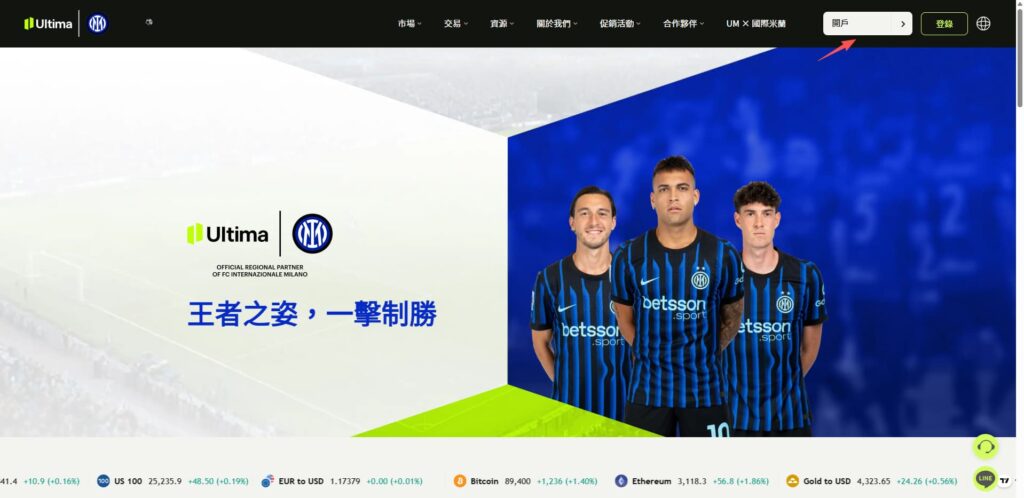
這裏就以Ultima Markets為例進行講解。首先登錄Ultima Markets官網:
點擊頁面右上角的“開戶”按鈕。
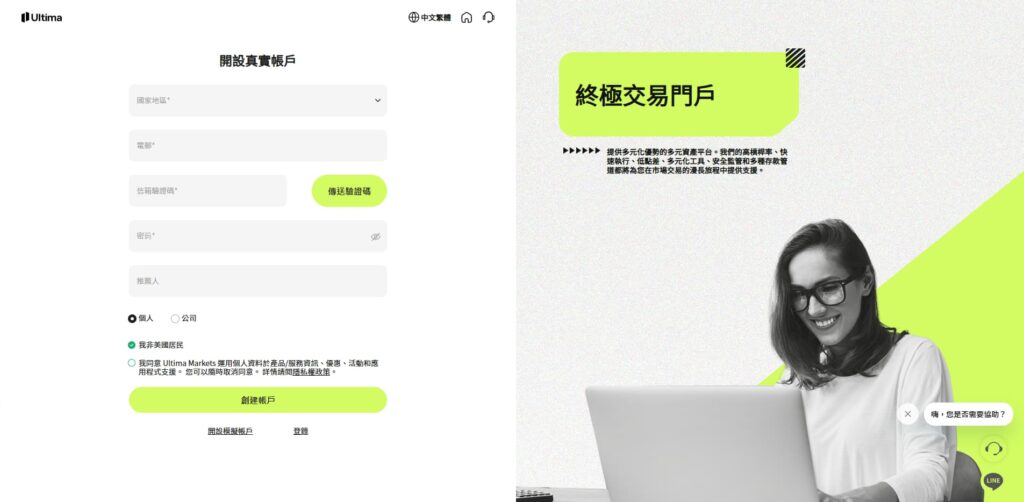
在開戶頁面中填寫個人基本信息,並根據系統提示完成身份驗證及相關資料上傳。按照頁面指引逐步操作後,即可順利完成開戶流程,激活您的交易帳戶。
如果您是初學者,僅希望先體驗平臺功能、瞭解行情走勢或進行交易練習,也可以選擇模擬帳戶。只需點擊下方“開設模擬帳戶”按鈕,即可快速申請並開始測試,在無風險的環境中熟悉MT5的操作與交易流程,為後續實盤交易打下基礎。
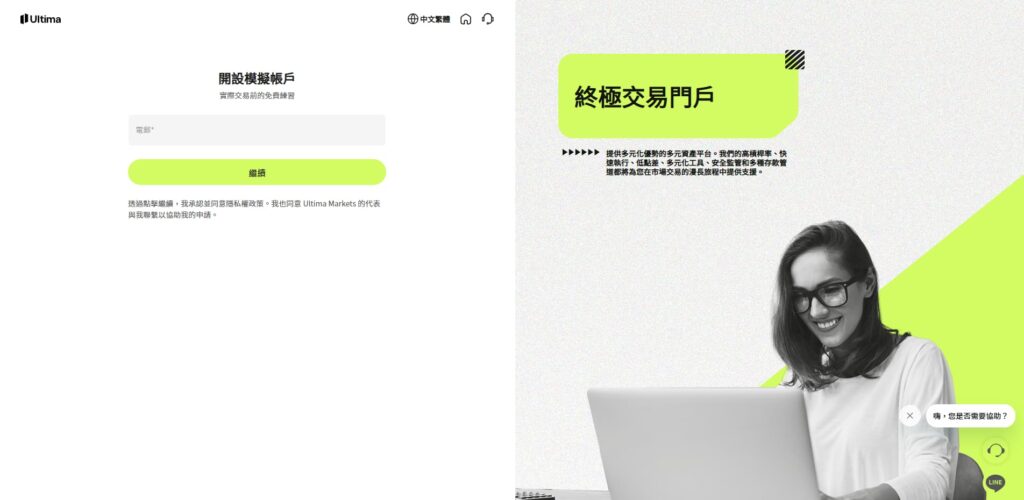
3. 下載安裝MT5
在成功開立帳戶後,您即可開始下載並使用MT5交易平臺進行操作了。
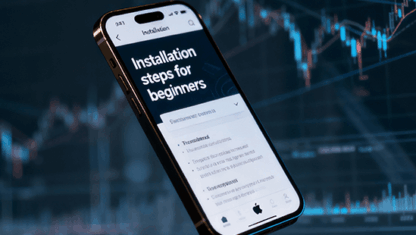
進入官網主頁,在“交易”菜單欄中選擇MT5,隨後進入下載頁面,根據您的設備類型選擇相應版本(如Windows、Mac、iOS或Android)。
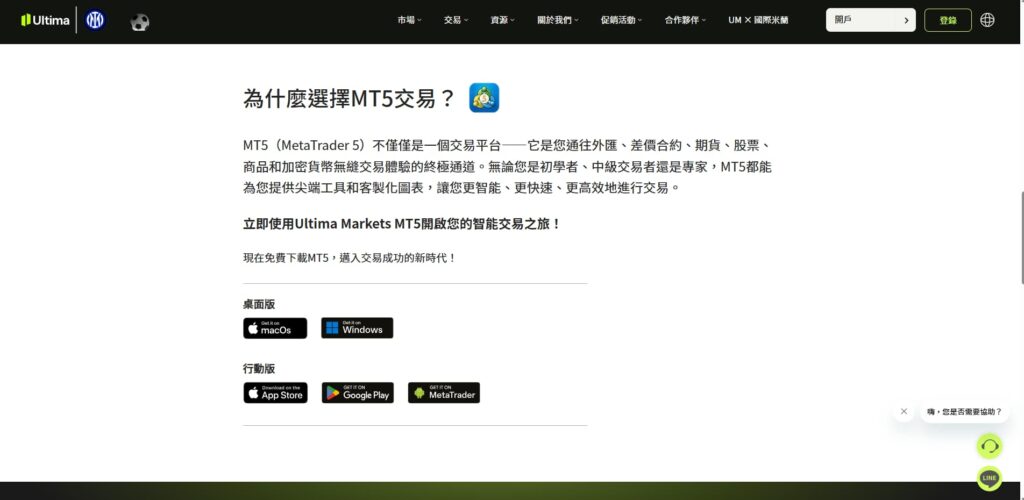
若您下載的是電腦版MT5,只需雙擊安裝文件,按照常規安裝步驟完成設置。安裝結束後,桌面上會自動生成MT5終端圖標,雙擊即可啓動平臺。
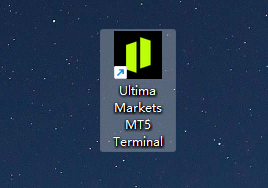
打開軟件或者APP後,登錄您的真實帳戶或模擬帳戶,便能立即查看行情、分析圖表、設置交易參數並執行買賣操作,輕鬆開啓全球市場交易體驗。
4. 登錄MT5帳戶
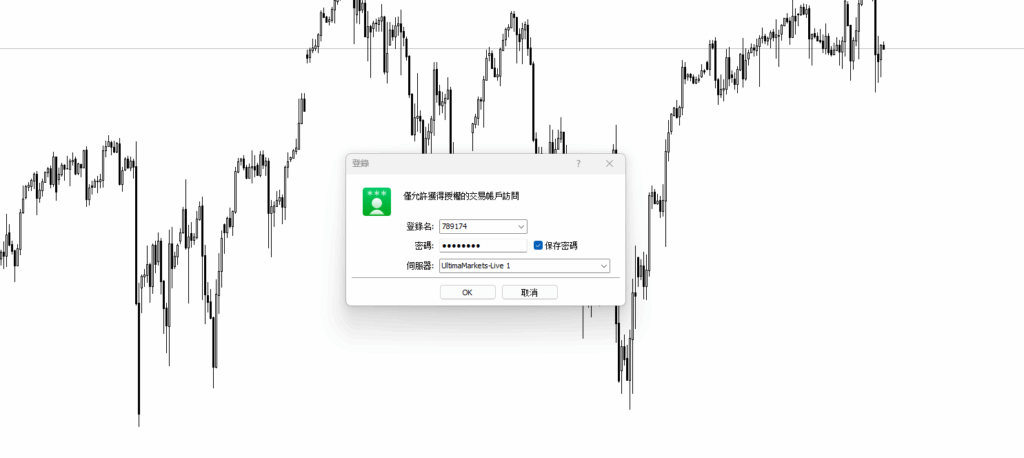
雙擊桌面上的MT5圖標,即可啓動MT5交易終端。打開後,輸入你在第二步中申請的真實帳戶或模擬帳戶登錄信息,即可進入交易界面。手機端APP也是類似的操作,使用真實帳戶或模擬帳戶信息進行登錄。
登錄成功後,投資者便能查看全球主要市場的實時行情、K線圖與技術指標,並可在不同品種上進行掛單、平倉、修改止盈止損等多種操作,體驗完整的交易流程。
5. 常見問題FAQ
5.1MT5能查看股票、期貨還是外匯?
不同經紀商所提供的交易產品範圍各不相同,因此投資者在登錄MT5交易平臺後,所能看到的交易標的也會有所差異。作爲一家面向全球投資者的國際經紀商,Ultima Markets擁有廣泛的市場接入能力,能夠在同一帳戶內提供包括美股、股指、期貨、外匯、大宗商品及加密貨幣等多種主要交易品種。投資者可根據個人偏好和策略,在多個市場間靈活切換,實現更豐富的投資組合與更高的交易效率。
5.2 下載MT5軟件是免費的嗎?
通過Ultima Markets開立帳戶並下載的MT5交易軟件均爲免費,無需支付任何安裝或使用費用。平臺內提供的實時行情報價、圖表分析工具及技術指標也都是免費開放的,用戶可以隨時查看市場動態、進行分析或測試交易策略。只有當投資者在MT5上正式下單交易時,才會根據交易品種與帳戶類型產生相應的點差、隔夜利息等成本。這種透明的收費模式讓交易更公平、更具靈活性。
5.3 MT4和MT5的程序化交易通用嗎?
MT4和MT5的程序化交易系統並不通用。雖然它們同屬MetaQuotes公司出品,但兩者使用的編程語言不同。MT4採用MQL4,而MT5使用更先進的MQL5。兩種語言在語法結構、功能模塊及執行邏輯上存在差異,因此EA智能交易(Expert Advisor)或自定義指標無法直接從MT4遷移到MT5運行。若想在MT5上使用原有策略,需重新編寫或進行代碼轉換。這也是許多交易者在升級平臺前需特別留意的重要差別之一。
免責聲明:本內容僅作為參考資訊,不能視為任何形式的金融、投資或專業建議。文中觀點不代表 Ultima Markets 或作者對任何特定投資產品、策略或交易的推薦。請勿僅依據本資料作出投資決策,必要時請諮詢獨立專業顧問。
最新文章



Ultima Markets 為金融委員會 (The Financial Commission) 成員。金融委員會是一個獨立的外部爭端解決組織,專門解決外匯市場的爭議和投訴。

Ultima Markets 所有客戶皆納入 Willis Towers Watson (WTW) 保險保障,每帳戶賠償金額最高可達 100萬美元,WTW 是一家成立於 1828 年的保險經紀公司,服務遍及全球。

Ultima Markets是第一家加入聯合國全球契約組織的差價合約經紀商。
與我們進行貿易
風險披露
風險提示:
槓桿類金融產品(包括差價合約)具有高風險,交易可能導致虧損超過您的初始投入。該類產品並不適合所有投資者,請確保僅使用可承受損失的資金進行交易。差價合約交易並不代表您擁有相關標的資產(例如:股息權益等)。請務必充分了解相關風險,並根據自身的投資經驗和目標,謹慎判斷是否適合參與交易。如有需要,建議尋求獨立的財務顧問意見。所有交易決策前,請仔細閱讀我們的法律文件及風險披露。
一般性建議聲明:
本網站所提供的信息僅為一般參考,未針對您的個人投資目標、財務狀況或具體需求作出個別化建議。請在採取任何投資行動前,充分評估其是否適合自身情況,並仔細查閱我們的法律文件。
地區限制說明:
本網站的相關信息與服務並不適用於部分地區用戶,包括但不限於美國、英國、新加坡及受國際制裁的地區。如需了解更多詳情,請聯繫客戶服務團隊。
監管信息:
Ultima Markets是多個在不同司法轄區運營的實體共用的交易品牌。下列實體均獲正式授權,使用 Ultima Markets 品牌及商標開展業務。
-
Ultima Markets UK Limited(參考編號 470325)獲英國金融行為監管局(FCA)授權並受其監管。註冊地址:英國倫敦 E1 6RS,Blossom Yard 1號,四樓。
-
Ultima Markets Ltd 持有模里西斯金融服務委員會(FSC)頒發的全牌照投資商執照(不含包銷業務),牌照編號為 GB 23201593。
註冊地址:2nd Floor, The Catalyst, 40 Silicon Avenue, Ebene Cybercity, 72201, Mauritius。

版權聲明 © 2025 Ultima Markets Ltd. 保留所有權利。
-

Messenger


Continue on Messenger
Take the conversation to your Messenger account. You can return anytime.
Scan the QR code and then send the message that appears in your Messenger.
Open Messenger on this device.
-

Instagram

Continue on Instagram
Take the conversation to your Instagram account. You can return anytime.
Scan the QR code to open Instagram. Follow @ultima_markets to send a DM.
Open Instagram on this device.
-

Live Chat
-

