
Ultima Markets App
Trade Anytime, Anywhere





Important Information
This website is managed by Ultima Markets’ international entities, and it’s important to emphasise that they are not subject to regulation by the FCA in the UK. Therefore, you must understand that you will not have the FCA’s protection when investing through this website – for example:
- You will not be guaranteed Negative Balance Protection
- You will not be protected by FCA’s leverage restrictions
- You will not have the right to settle disputes via the Financial Ombudsman Service (FOS)
- You will not be protected by Financial Services Compensation Scheme (FSCS)
- Any monies deposited will not be afforded the protection required under the FCA Client Assets Sourcebook. The level of protection for your funds will be determined by the regulations of the relevant local regulator.
Note: Ultima Markets is currently developing a dedicated website for UK clients and expects to onboard UK clients under FCA regulations in 2026.
If you would like to proceed and visit this website, you acknowledge and confirm the following:
- 1.The website is owned by Ultima Markets’ international entities and not by Ultima Markets UK Ltd, which is regulated by the FCA.
- 2.Ultima Markets Limited, or any of the Ultima Markets international entities, are neither based in the UK nor licensed by the FCA.
- 3.You are accessing the website at your own initiative and have not been solicited by Ultima Markets Limited in any way.
- 4.Investing through this website does not grant you the protections provided by the FCA.
- 5.Should you choose to invest through this website or with any of the international Ultima Markets entities, you will be subject to the rules and regulations of the relevant international regulatory authorities, not the FCA.
Ultima Markets wants to make it clear that we are duly licensed and authorised to offer the services and financial derivative products listed on our website. Individuals accessing this website and registering a trading account do so entirely of their own volition and without prior solicitation.
By confirming your decision to proceed with entering the website, you hereby affirm that this decision was solely initiated by you, and no solicitation has been made by any Ultima Markets entity.
I confirm my intention to proceed and enter this website Please direct me to the website operated by Ultima Markets , regulated by the FCA in the United Kingdom

想进行外汇或全球市场交易?那你一定听过MT5(MetaTrader 5)。本文将为你详细介绍MT5下载方法、安装步骤,无论你使用电脑、手机或网页端,都能轻松上手,开启高效的智能交易体验。
1. 什么是MT5交易平台?
MT5(MetaTrader 5)是由MetaQuotes公司开发的一款多资产交易平台,被全球投资者广泛使用。它支持外汇、指数、股票、商品、期货以及加密货币等多种交易品种,是外汇交易者与专业分析师的首选工具。与前一代MT4相比,MT5交易平台在速度、功能与稳定性上都有显著提升,提供更多时间周期、更丰富的图表工具以及更强大的EA智能交易系统。
2. 开设MT5账户
在使用MT5进行交易前,您需要先选择一家合规且专业的经纪商开立账户。优质的经纪商不仅能确保资金安全,还能为从零基础到高阶水平的交易者提供完善的支持与教育资源。完成开户后,申请一个MT5交易账户,即可凭此账户登录平台,进行行情查看、策略分析与实盘交易操作。
一般正规的经纪商受FCA及FSC等机构的严格监管。Ultima Markets不仅受上述两家机构监管,且是金融委员会(The Financial Commission)成员,资质更有保障。一个值得信赖的券商不仅能确保资金安全与交易顺畅,还能提供稳定的平台、合理的手续费、及时的行情资讯及专业的客户服务,为投资者在市场中获得更佳体验和交易效率奠定基础。
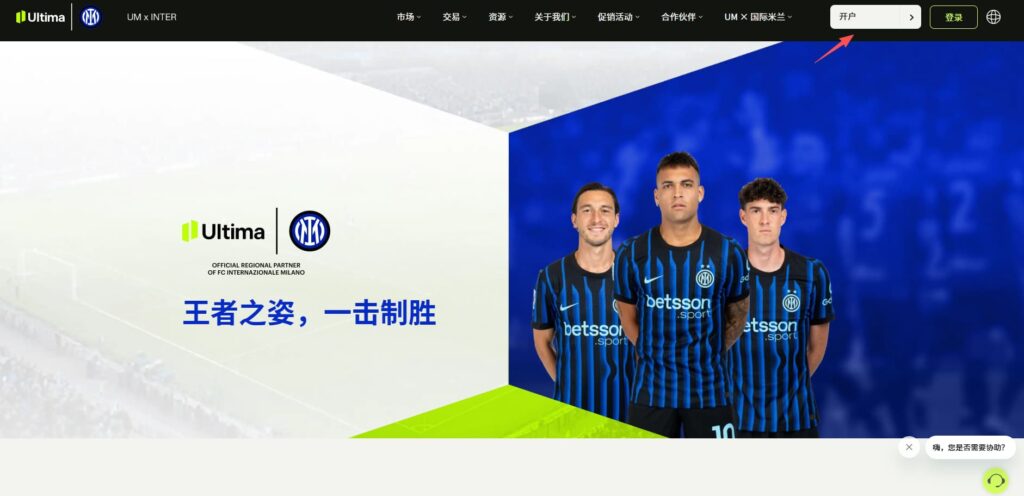
这里就以Ultima Markets为例进行讲解。首先登录Ultima Markets官网:
点击页面右上角的“开户”按钮。
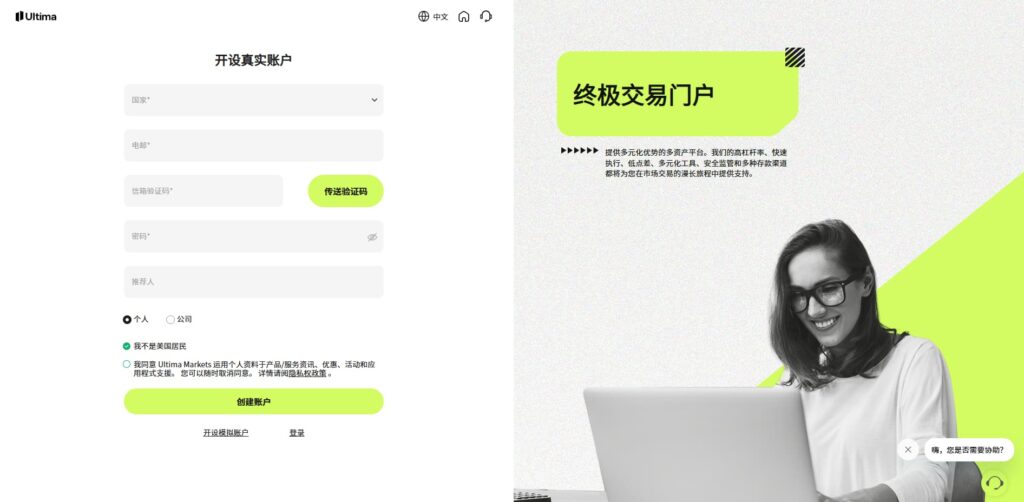
在开户页面中填写个人基本信息,并根据系统提示完成身份验证及相关资料上传。按照页面指引逐步操作后,即可顺利完成开户流程,激活您的交易账户。
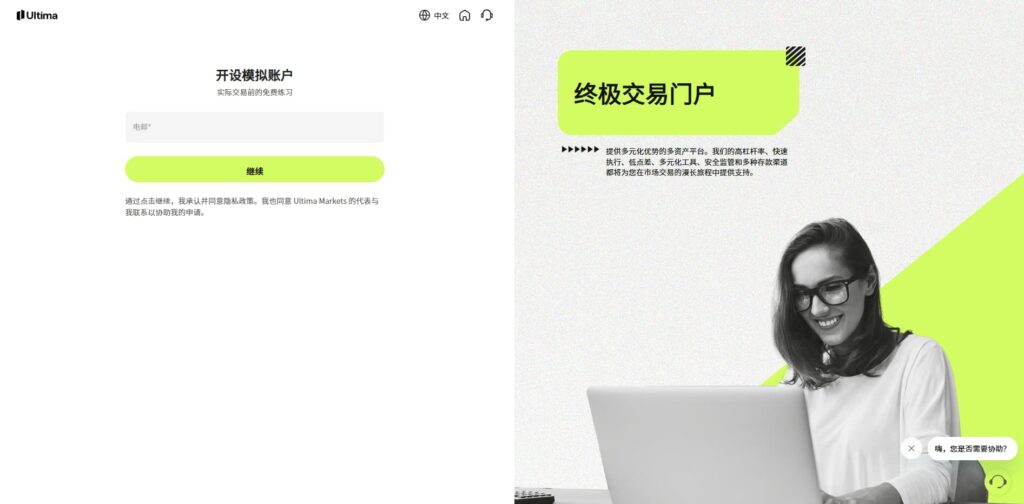
如果您是初学者,仅希望先体验平台功能、了解行情走势或进行交易练习,也可以选择模拟账户。只需点击下方“开设模拟账户”按钮,即可快速申请并开始测试,在无风险的环境中熟悉MT5的操作与交易流程,为后续实盘交易打下基础。
3. 下载安装MT5
在成功开立账户后,您即可开始下载并使用MT5交易平台进行操作了。
进入官网主页,在“交易”菜单栏中选择MT5,随后进入下载页面,根据您的设备类型选择相应版本(如Windows、Mac、iOS或Android)。
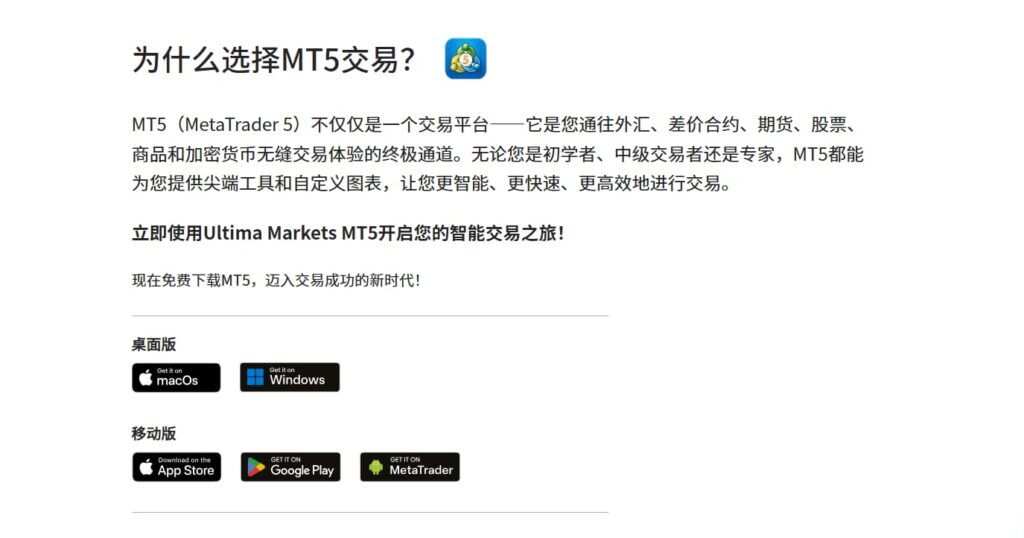
若您下载的是电脑版MT5,只需双击安装文件,按照常规安装步骤完成设置。安装结束后,桌面上会自动生成MT5终端图标,双击即可启动平台。
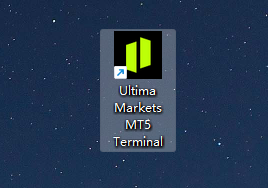
打开软件或者APP后,登录您的真实账户或模拟账户,便能立即查看行情、分析图表、设置交易参数并执行买卖操作,轻松开启全球市场交易体验。
4. 登录MT5账户
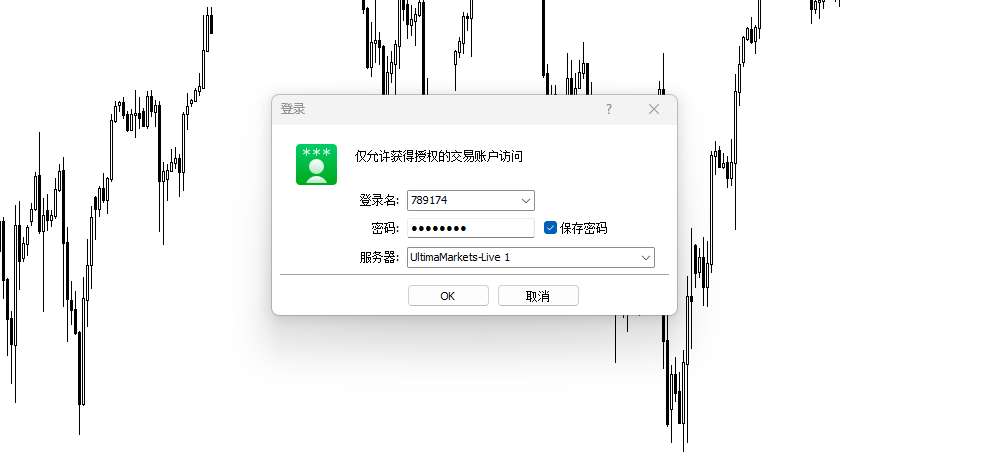
双击桌面上的MT5图标,即可启动MT5交易终端。打开后,输入你在第二步中申请的真实账户或模拟账户登录信息,即可进入交易界面。手机端APP也是类似的操作,使用真实账户或模拟账户信息进行登录。
登录成功后,投资者便能查看全球主要市场的实时行情、K线图与技术指标,并可在不同品种上进行挂单、平仓、修改止盈止损等多种操作,体验完整的交易流程。
5. 常见问题FAQ
5.1 MT5能查看股票、期货还是外汇?
不同经纪商所提供的交易产品范围各不相同,因此投资者在登录MT5交易平台后,所能看到的交易标的也会有所差异。作为一家面向全球投资者的国际经纪商,Ultima Markets拥有广泛的市场接入能力,能够在同一账户内提供包括美股、股指、期货、外汇、大宗商品及加密货币等多种主要交易品种。投资者可根据个人偏好和策略,在多个市场间灵活切换,实现更丰富的投资组合与更高的交易效率。
5.2 下载MT5软件是免费的吗?
通过Ultima Markets开立账户并下载的MT5交易软件均为免费,无需支付任何安装或使用费用。平台内提供的实时行情报价、图表分析工具及技术指标也都是免费开放的,用户可以随时查看市场动态、进行分析或测试交易策略。只有当投资者在MT5上正式下单交易时,才会根据交易品种与账户类型产生相应的点差、隔夜利息等成本。这种透明的收费模式让交易更公平、更具灵活性。
5.3 MT4和MT5的程序化交易通用吗?
MT4和MT5的程序化交易系统并不通用。虽然它们同属MetaQuotes公司出品,但两者使用的编程语言不同。MT4采用MQL4,而MT5使用更先进的MQL5。两种语言在语法结构、功能模块及执行逻辑上存在差异,因此EA智能交易(Expert Advisor)或自定义指标无法直接从MT4迁移到MT5运行。若想在MT5上使用原有策略,需重新编写或进行代码转换。这也是许多交易者在升级平台前需特别留意的重要差别之一。
免责声明:本内容仅作为参考信息,不能视为任何形式的金融、投资或专业建议。文中观点不代表 Ultima Markets 或作者对任何特定投资产品、策略或交易的推荐。请勿仅依据本资料作出投资决策,必要时请咨询独立专业顾问。
最新文章




Ultima Markets 为金融委员会 (The Financial Commission) 会员。金融委员会是一个独立的外部争端解决组织,专门解决外汇市场的争议和投诉。

Ultima Markets 所有客户皆纳入 Willis Towers Watson (WTW) 保险保障,每帐户赔偿金额最高可达 100万美元,WTW 是一家成立于 1828 年的保险经纪公司,服务遍及全球。

Ultima Markets是第一个加入联合国全球契约组织的差价合约经纪商。
与我们进行交易
风险披露
风险提示:
杠杆类金融产品(包括差价合约)具有高风险,交易可能导致亏损超过您的初始投入。该类产品并不适合所有投资者,请确保仅使用可承受损失的资金进行交易。差价合约交易并不代表您拥有相关标的资产(例如:股息权益等)。请务必充分了解相关风险,并根据自身的投资经验和目标,谨慎判断是否适合参与交易。如有需要,建议寻求独立的财务顾问意见。所有交易决策前,请仔细阅读我们的法律文件及风险披露。
一般性建议声明:
本网站所提供的信息仅为一般参考,未针对您的个人投资目标、财务状况或具体需求作出个别化建议。请在采取任何投资行动前,充分评估其是否适合自身情况,并仔细查阅我们的法律文件。
地区限制说明:
本网站的相关信息与服务并不适用于部分地区用户,包括但不限于美国、英国、新加坡及受国际制裁的地区。如需了解更多详情,请联系客户服务团队。
监管信息:
Ultima Markets是多个在不同司法辖区运营的实体共用的交易品牌。下列实体均获正式授权,使用 Ultima Markets 品牌及商标开展业务。
-
Ultima Markets UK Limited(参考编号 470325)已获英国金融行为监管局(FCA)授权并受其监管。注册地址:英国伦敦 E1 6RS,Blossom Yard 1号,四楼。
-
Ultima Markets Ltd 持有模里西斯金融服务委员会(FSC)颁发的全牌照投资商执照(不含包销业务),牌照编号为 GB 23201593。
注册地址:2nd Floor, The Catalyst, 40 Silicon Avenue, Ebene Cybercity, 72201, Mauritius。

版权声明 © 2025 Ultima Markets Ltd.保留所有权利。
-

Messenger


Continue on Messenger
Take the conversation to your Messenger account. You can return anytime.
Scan the QR code and then send the message that appears in your Messenger.
Open Messenger on this device.
-

Instagram

Continue on Instagram
Take the conversation to your Instagram account. You can return anytime.
Scan the QR code to open Instagram. Follow @ultima_markets to send a DM.
Open Instagram on this device.
-

Live Chat
-

